

Purpose
Create a customer record with accurate contact, billing, shipping, and payment information.
Before you begin
- Search first to avoid creating a duplicate.
- Use approved demo data or the customer’s authorized information.
- Have the customer’s billing and contact details ready.
Procedure
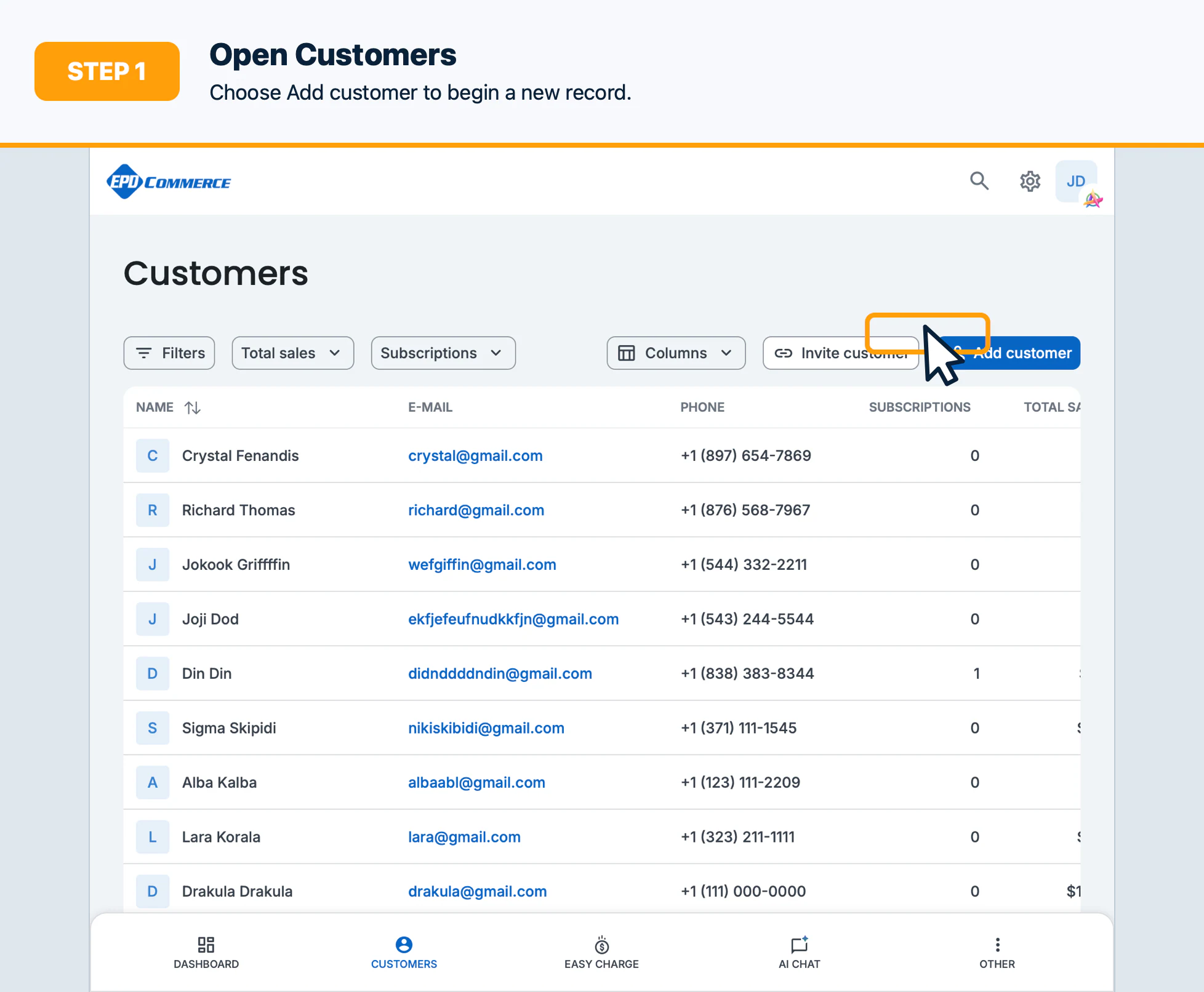
- Open Customers and select Add customer.
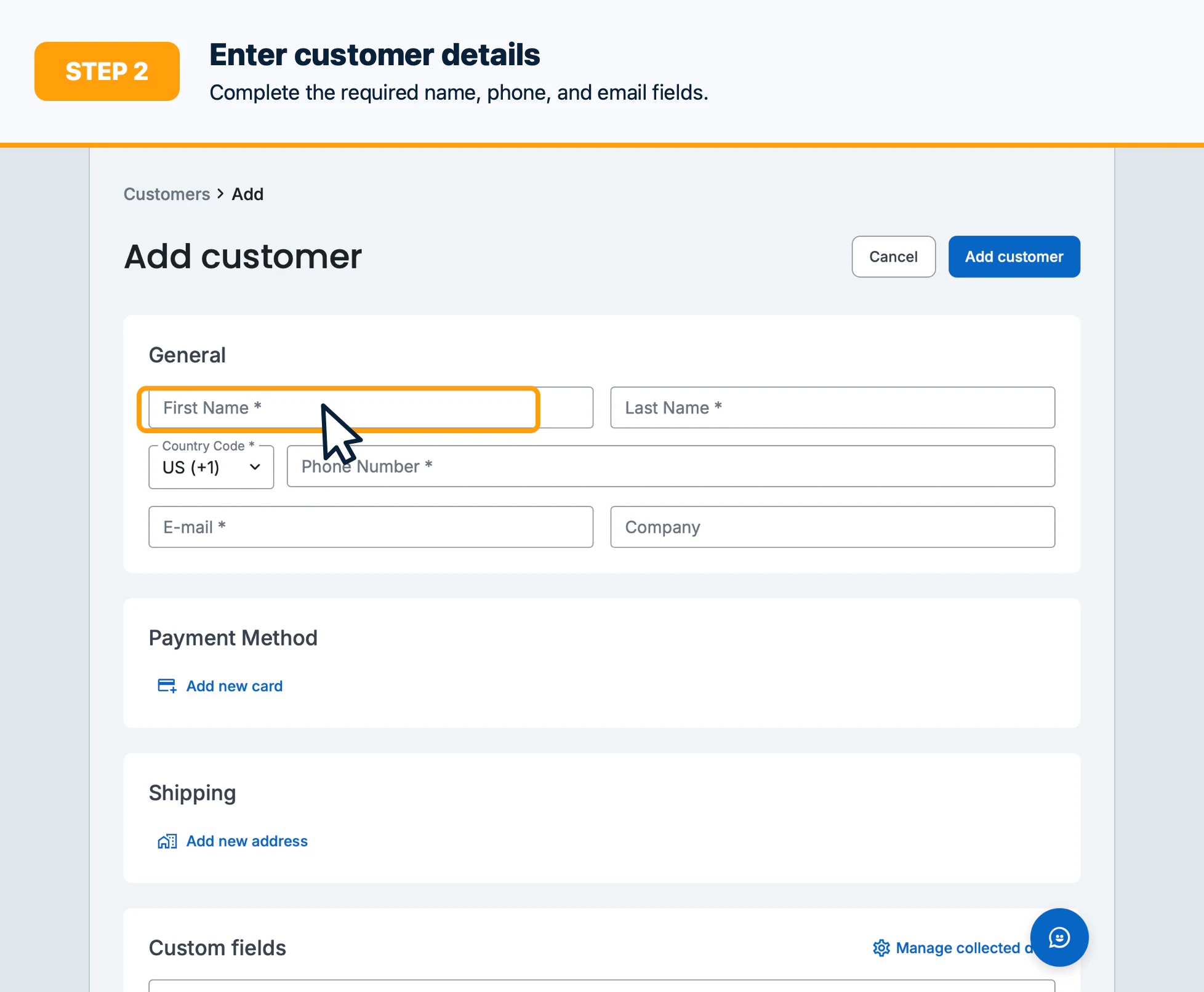
- Enter the customer’s name, email, phone number, and any required contact fields.
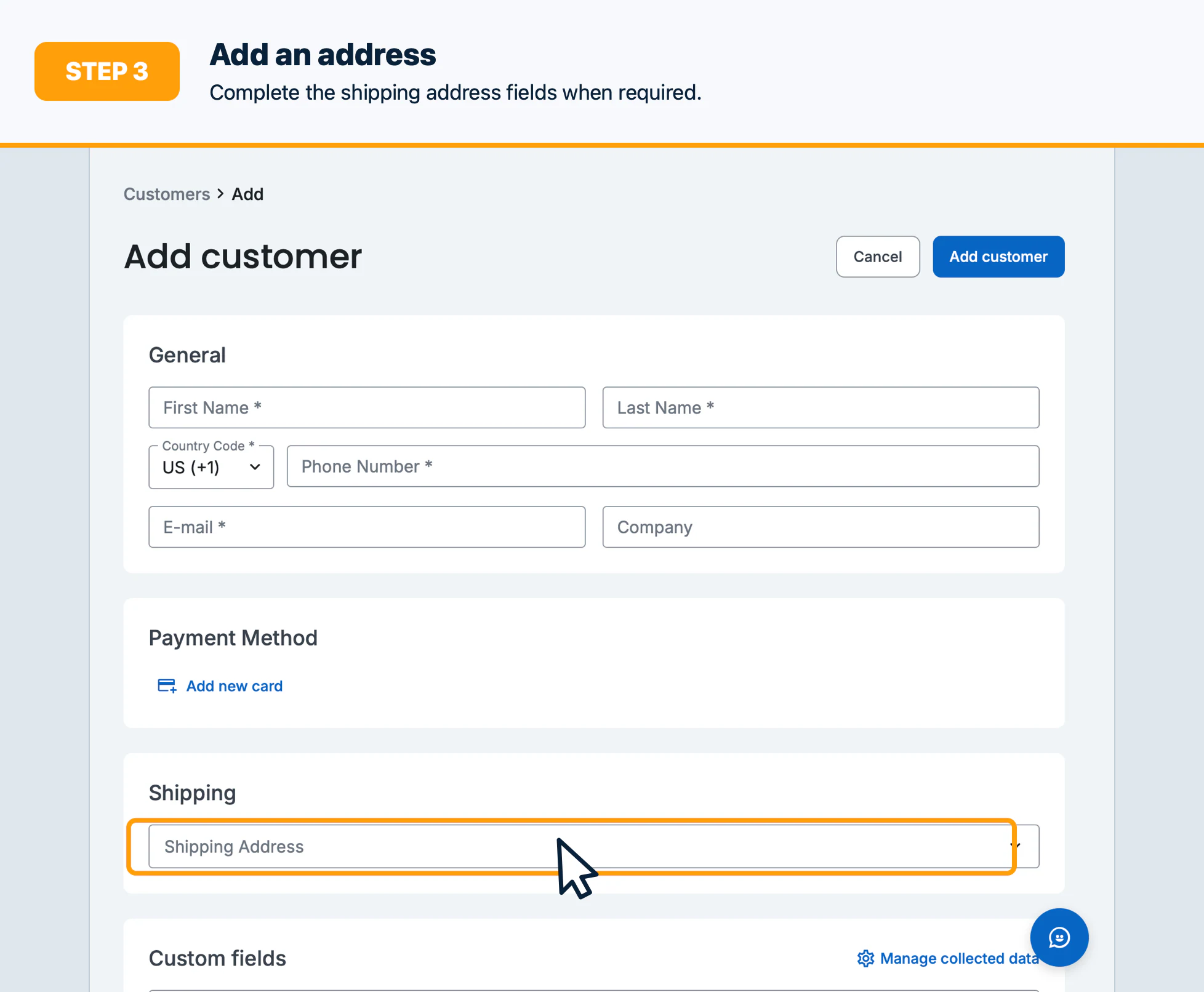
- Add a billing address and shipping address when required.
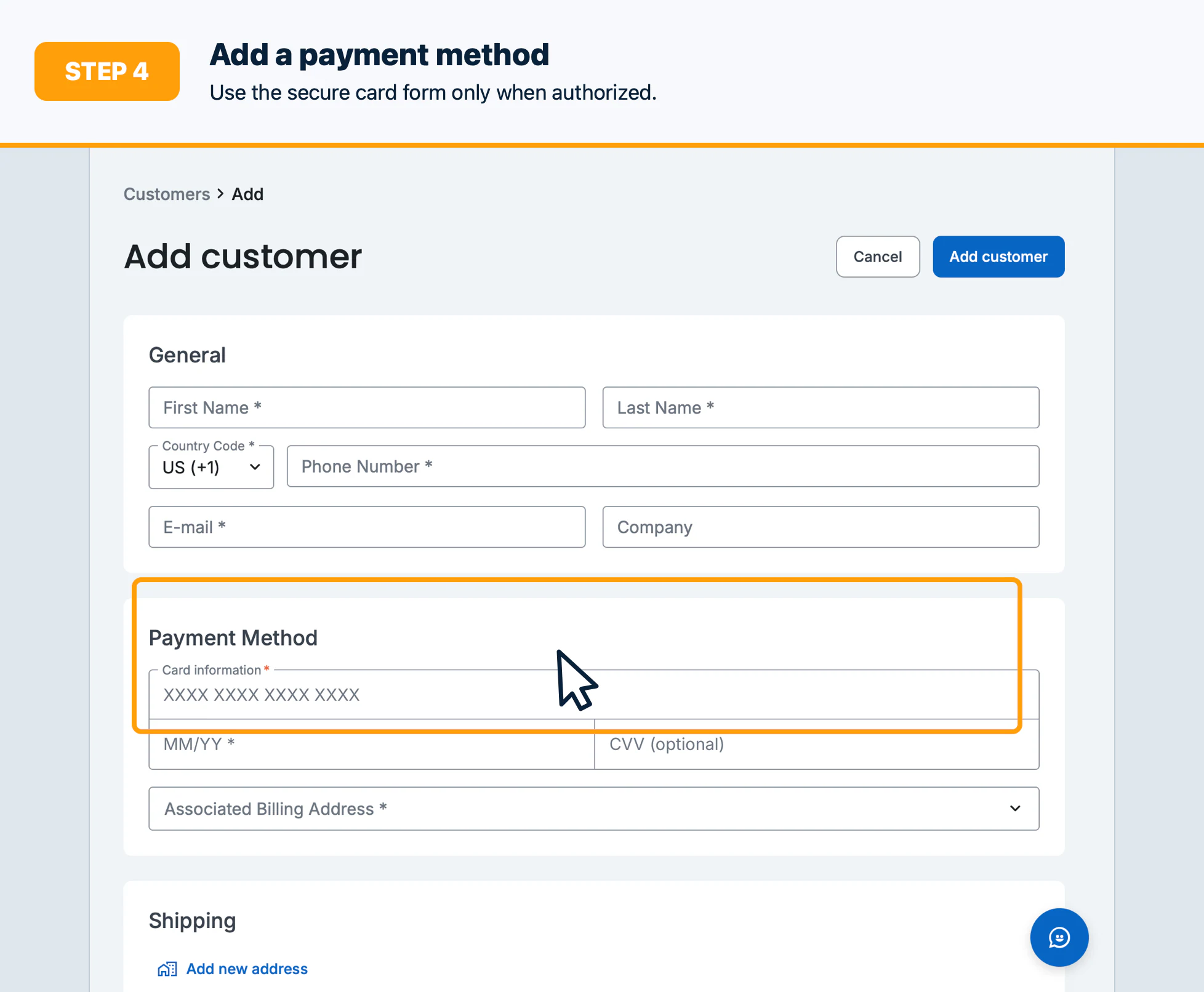
- Add a payment method only when authorized and needed for future billing.
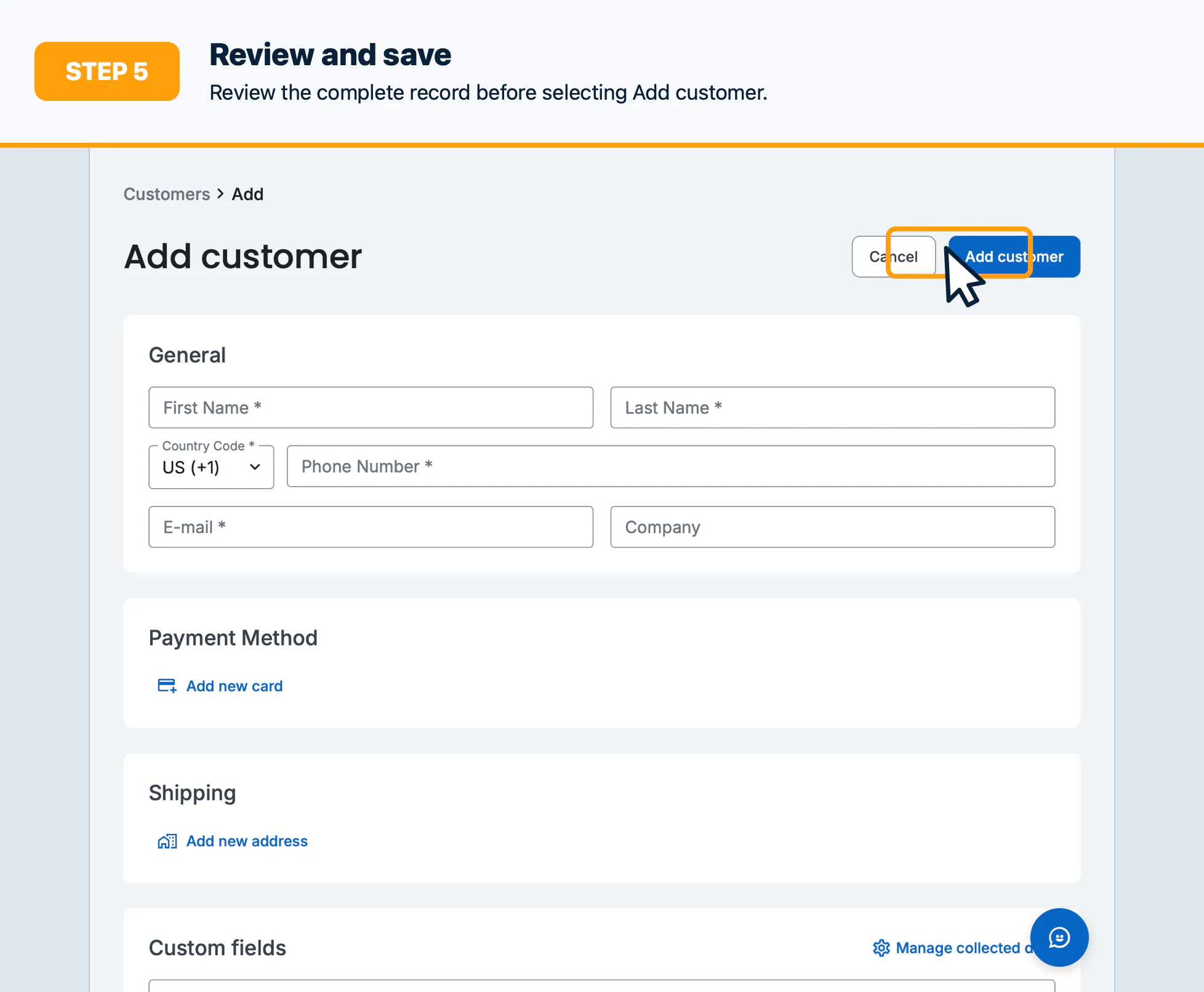
- Review the complete record, then select Create customer.
Confirm the result
Search for the customer and verify the profile, addresses, payment method status, and custom fields.
Troubleshooting
Resolve required-field validation, duplicate warnings, invalid phone/address values, or payment-method tokenization errors before retrying.